Reduce the amount of space used on a third-party cloud backup copy target
Use this procedure to remove older backup copies and to reduce the amount of data that can be written to a third-party cloud backup copy target (Amazon, Azure Blob, Google, Rackspace, and Wasabi). The new threshold does not result in immediate data reduction on the backup copy target. Instead, the next time the backup copy job runs, the appliance purges older backup copies to meet the new storage threshold and to make space for the new backup copy.
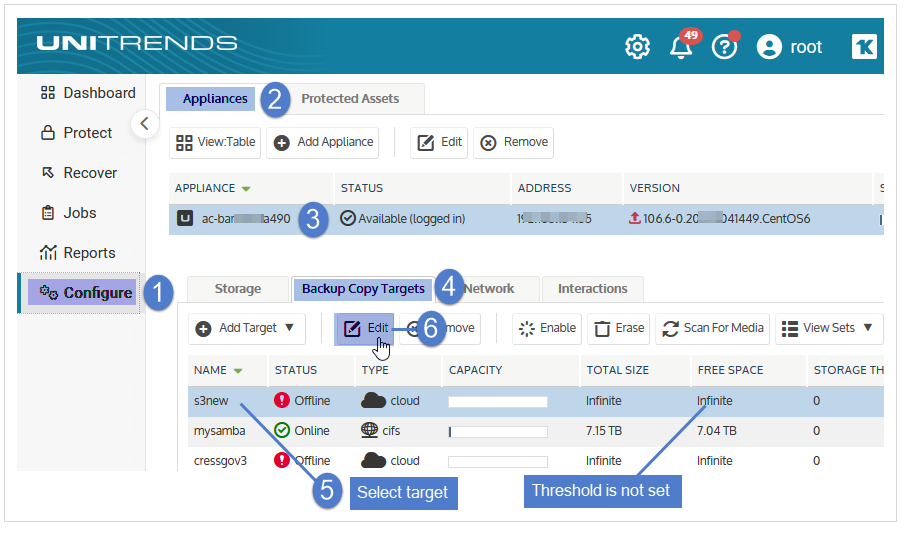
1. On the Configure > Appliances page, select your appliance.
2. Click the Backup Copy Targets tab, select the cloud target on which you want to reduce the space used, and click Edit.
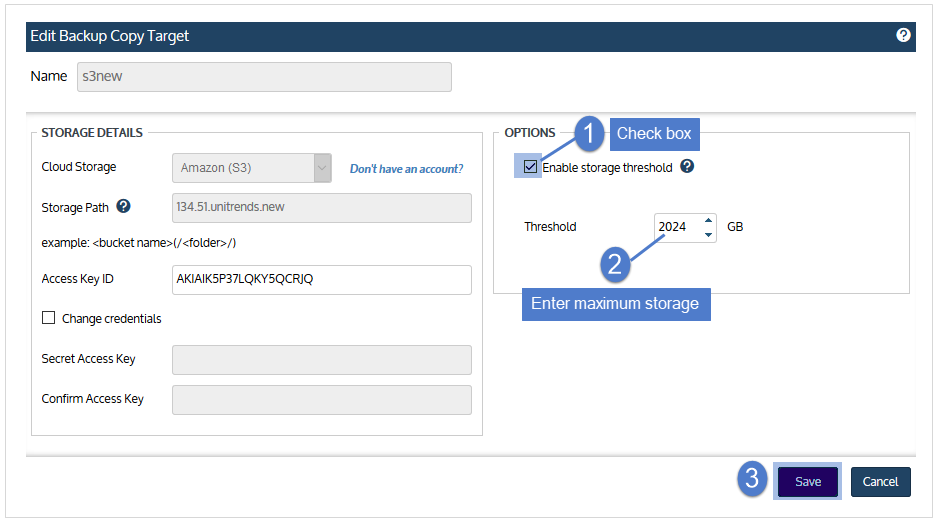
3. Adjust the storage threshold as desired and click Save.
● If you do not have a threshold, check the Enable storage threshold box, and adjust the Threshold value as desired. The threshold functions as a maximum amount of data the appliance can store on the backup copy target.
● If you need to adjust your existing threshold, decrease the Threshold value to the new maximum amount of data you want the appliance to store on the backup copy target.
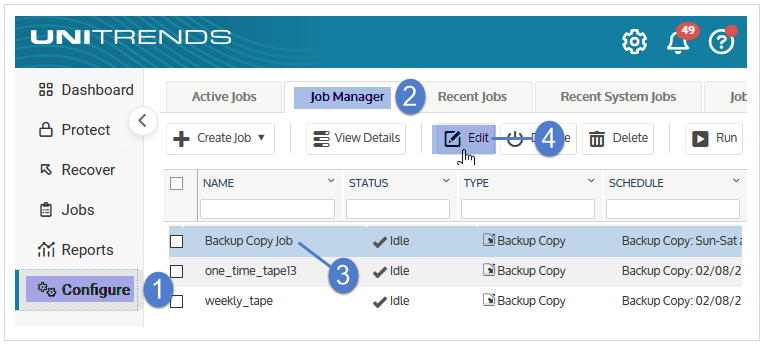
4. On the Jobs > Job Manager page, select the job that writes to the backup copy target and click Edit.
5. Click Next.
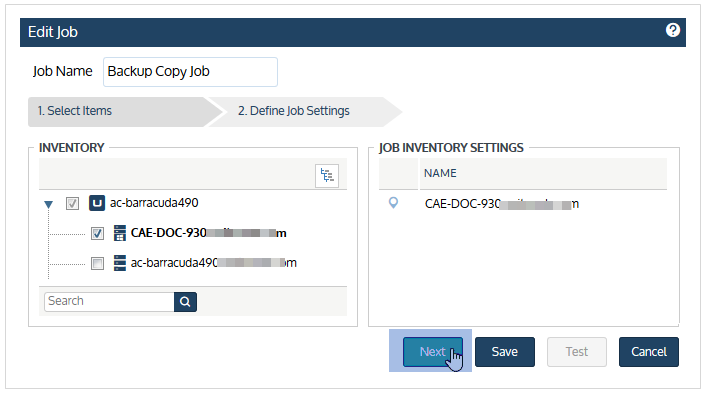
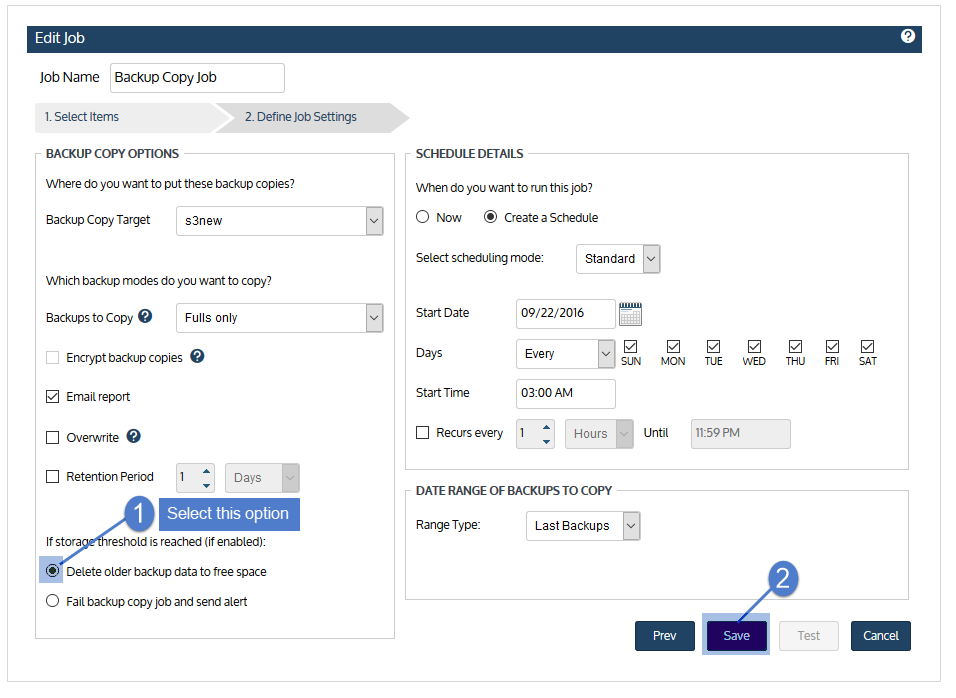
6. Select Delete older backup data to free space if the storage threshold is reached and click Save.