Resume hot backup copies
After suspending hot copies, you can resume copies at any time by using this procedure.
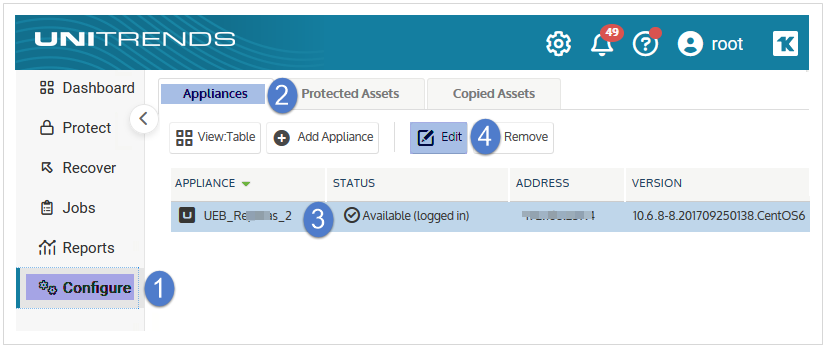
1. Log in to the source backup appliance.
2. Select Configure > Appliances.
3. Select the source backup appliance and click Edit.
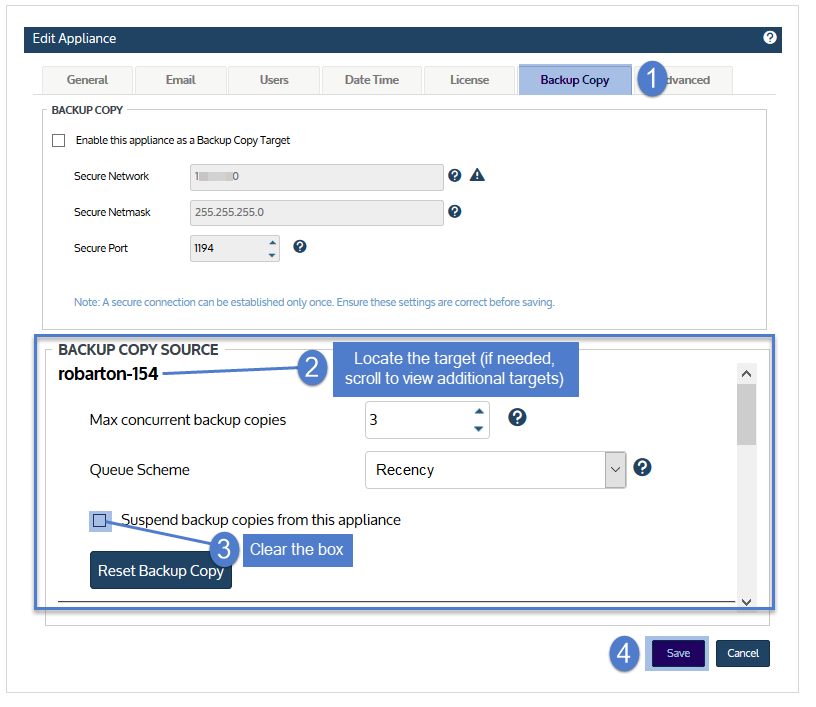
4. On the Backup Copy tab, locate the source appliance in the Backup Copy Source area and clear its Suspend backup copies from this appliance box.
NOTE If the appliance has multiple hot backup copy targets, a scroll bar displays. If needed, scroll to locate the target whose copies will be resumed.
5. Click Save.