View or edit a backup copy target
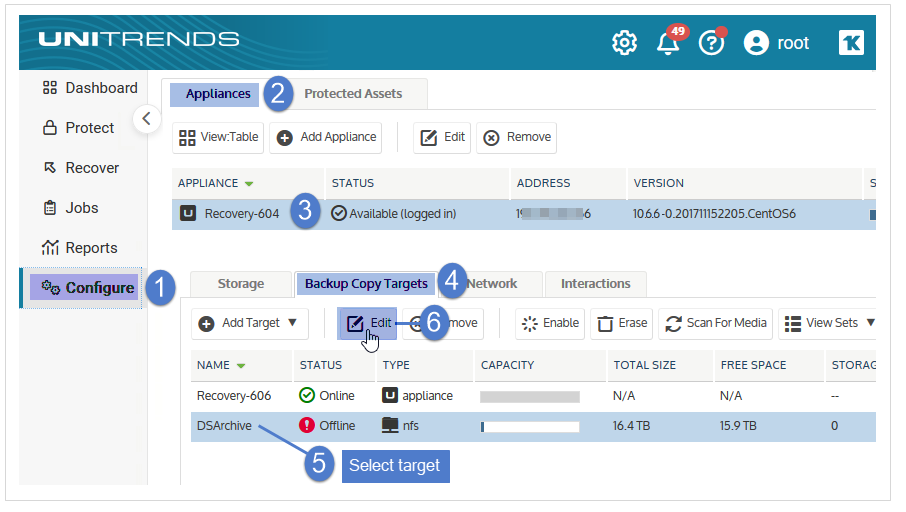
1. On the Configure > Appliances page, select your appliance.
2. Click the Backup Copy Targets tab, and select a backup copy target.
3. Click Edit.
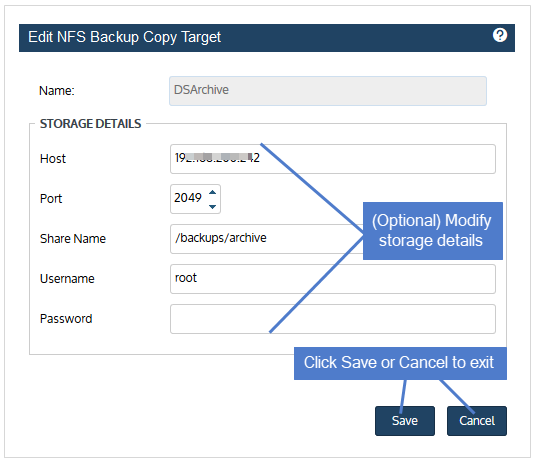
4. (Optional) Modify information.
NOTE For Amazon, Azure Blob, Google, Rackspace, and Wasabi cloud targets, you can increase or decrease the storage threshold from this dialog. These changes are applied to all subsequent backup copy jobs that write to the bucket. For more information about the storage threshold, see Managing the amount of data copied to a third-party cloud target.
5. Click Save to retain changes or Cancel to exit without saving.