Using your IT Glue integration
Use these procedures to manage IT Glue credentials or remove the IT Glue integration.
To view or modify IT Glue credentials settings
- Log in to the UniView Portal with a superuser account.
- Click
 :
:
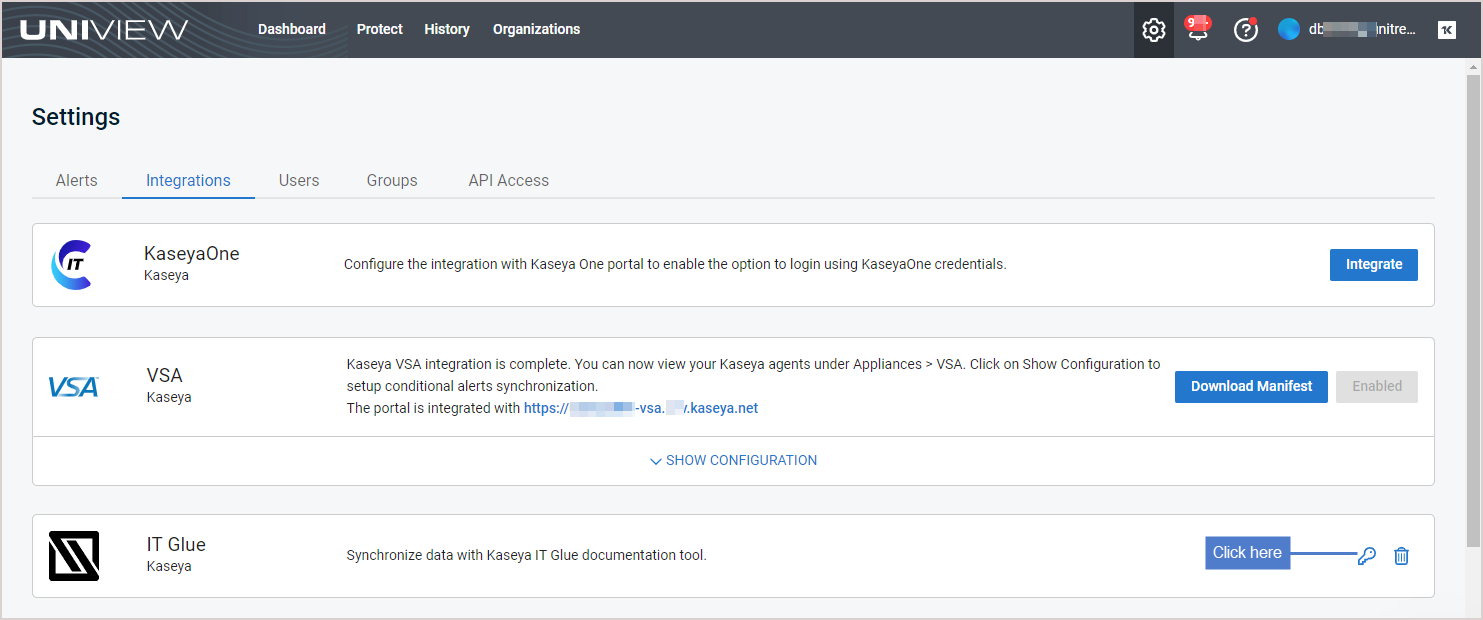
- Select the Integrations view.
- Locate the IT Glue integration and click
 .
. 
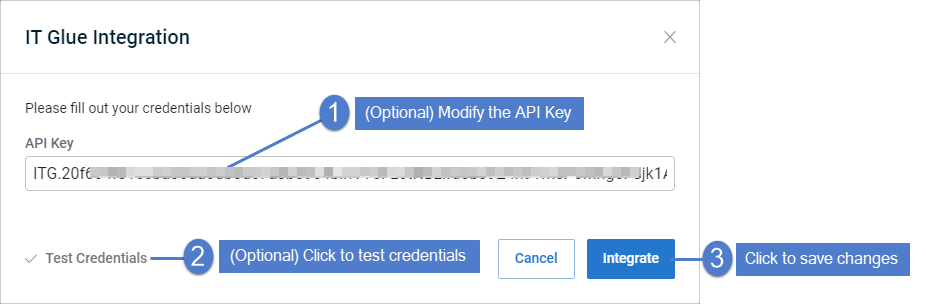
- (Optional) Modify the API Key. Click Test Credentials to verify that UniView Portal can connect to IT Glue. Click Integrate.
To remove the IT Glue integration
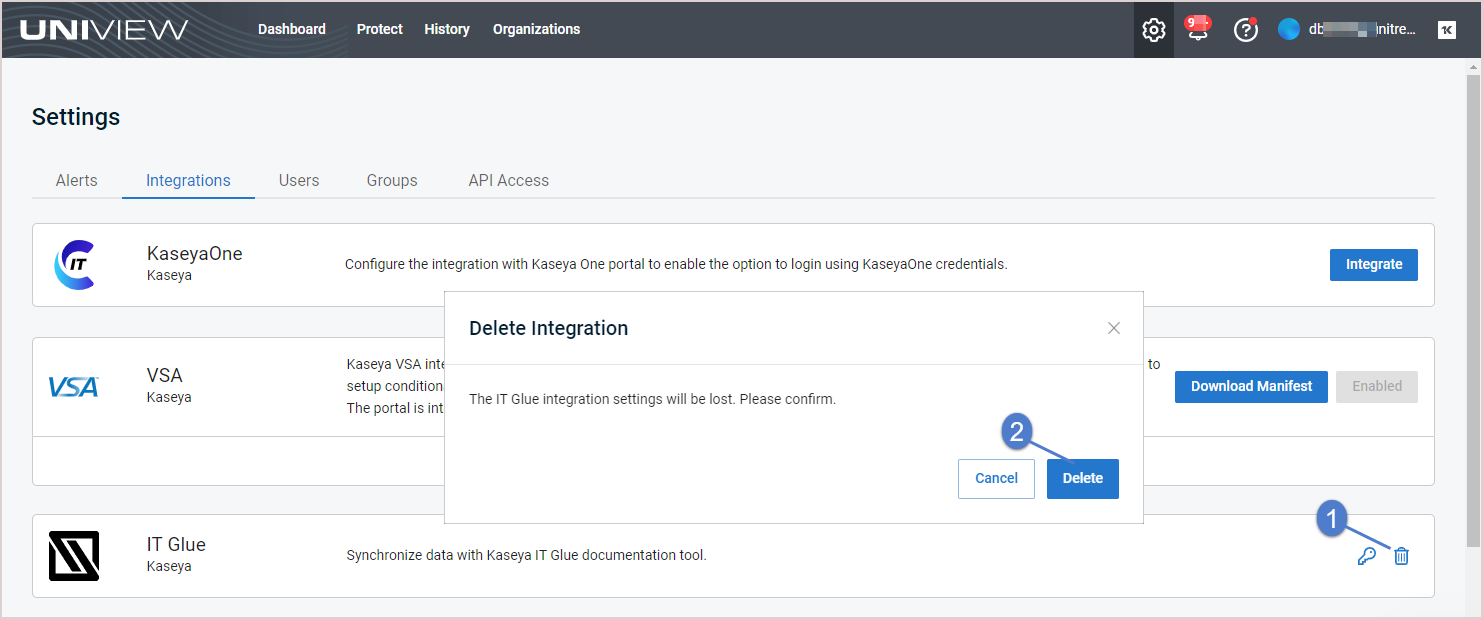
Use this procedure to remove the IT Glue integration from the UniView Portal.
- Log in to the UniView Portal with a superuser account.
- Click :
- Select the Integrations view.
- Locate the IT Glue integration and click
 . Click Delete. The integration is removed.