Do not cancel an active hot backup copy job
Do not cancel an active hot backup copy job. Instead, suspend hot backup copies.
Each successful backup of the original asset is copied to the hot backup copy target as soon as the backup completes. (The target can be the Unitrends Cloud or another Unitrends appliance.) To copy a backup, the appliance runs a hot backup copy job, which displays on the Active Jobs tab as shown here:
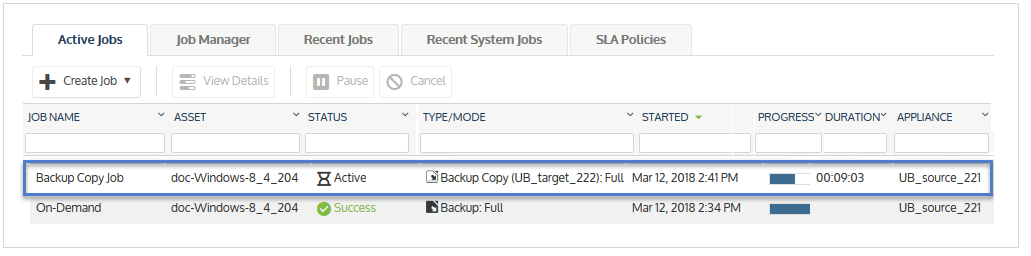
If you cancel a hot copy job by using the Cancel button on the Active Jobs page, the appliance automatically creates a new copy job to replace the one you canceled. To temporarily stop copying backups, suspend backup copies instead (as described in Suspend hot backup copies). Use the procedure Resume hot backup copies to start sending hot copies again. Note that copies of all backups that ran while copies were suspended will be sent to the hot backup copy target once you resume. You cannot skip copying a specific backup.


