Using VSA 9 Agents
If you have added a VSA 9 integration to your UniView Portal, VSA agent information displays in the VSA view when you launch the UniView module in the VSA interface. (The VSA view does not display when logged in directly to the stand-alone UniView Portal. For details on adding a VSA 9 integration, see Integrating VSA 9.)
Use to view summary and status information about the VSA 9 agents installed on Unitrends appliances. To access the VSA view, click Protect > VSA: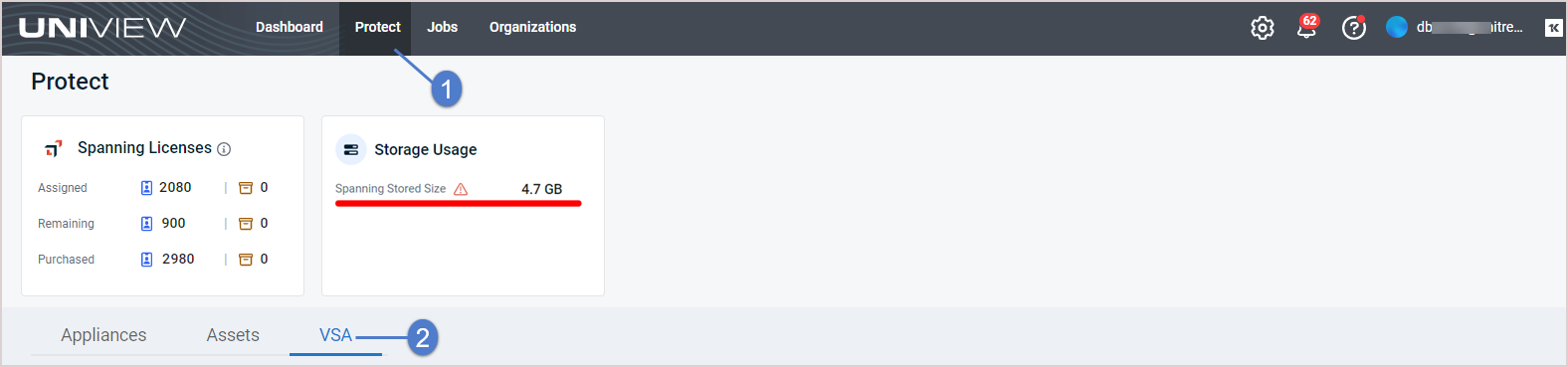
See these topics for details on working in the VSA view:
NOTE These procedures apply to VSA 9 only. Do not use these procedures for VSA 10.
 Viewing VSA 9 agents
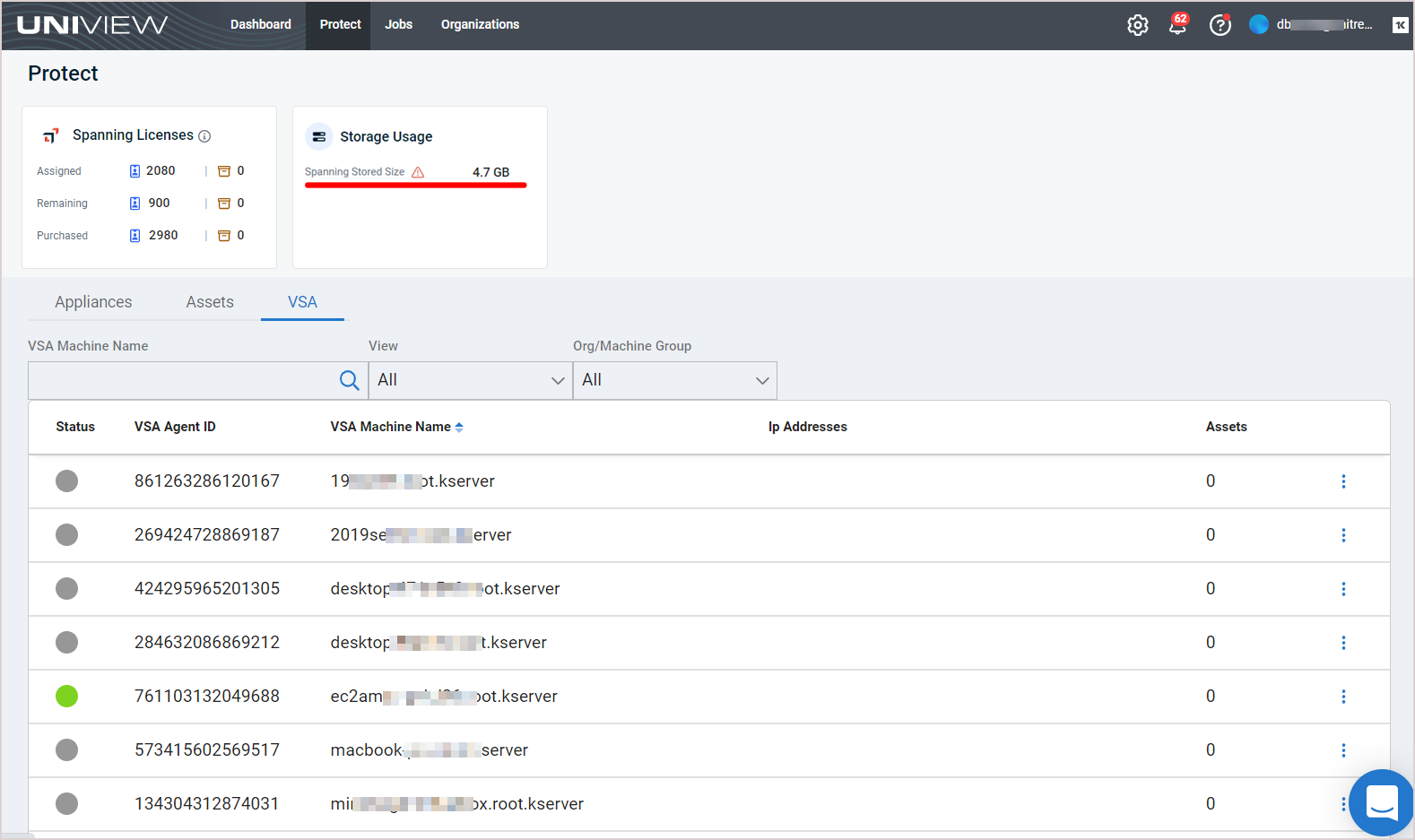
On the Protect page, click VSA to switch to the VSA view. This view displays the following:
- Status – VSA agent status:
 Agent online
 Agent online and user currently logged on
 Agent online and user currently logged on, but user not active for 10 minutes
 Agent is currently offline Agent has never checked in
 Agent has been suspended
 - VSA Agent ID – The unique machine ID assigned to the VSA agent. The machine ID / group ID / organization ID is the account name for a managed machine in the VSA database. The agent is the client software installed on the managed machine. A one-to-one relationship exists between the agent on a managed machine and its account name in the VSA. Tasks assigned to a machine ID by VSA users direct the agent's actions on the managed machine.
- VSA ID – Unitrends asset ID. This displays only if the VSA machine ID has been mapped to a Unitrends asset. (For details, see Mapping a VSA 9 machine to a Unitrends asset.)
- VSA Machine Name – Name of the VSA machine where the agent is running.
- IP Addresses
- Assets
Filtering the VSA view
The VSA view displays all VSA 9 machines that have been added to your backup.net instance and are running the VSA agent.
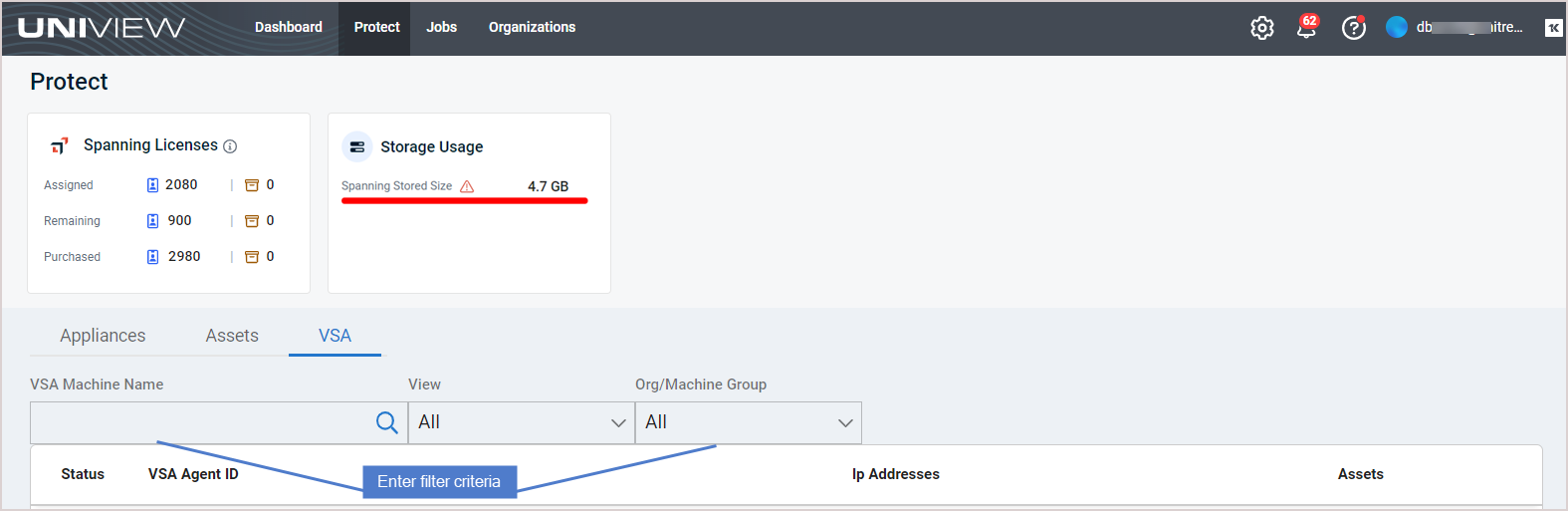
To filter the display, enter filter criteria:
- VSA Machine Name – Enter a text string, then press Enter to apply. VSA machine names containing the text you entered display.
- View – Select a view from the list. (Select All to clear the view filter.)
- Org/Machine Group – Select an organization or machine group from the list. (Select All to clear the filter.)
Mapping a VSA 9 machine to a Unitrends asset
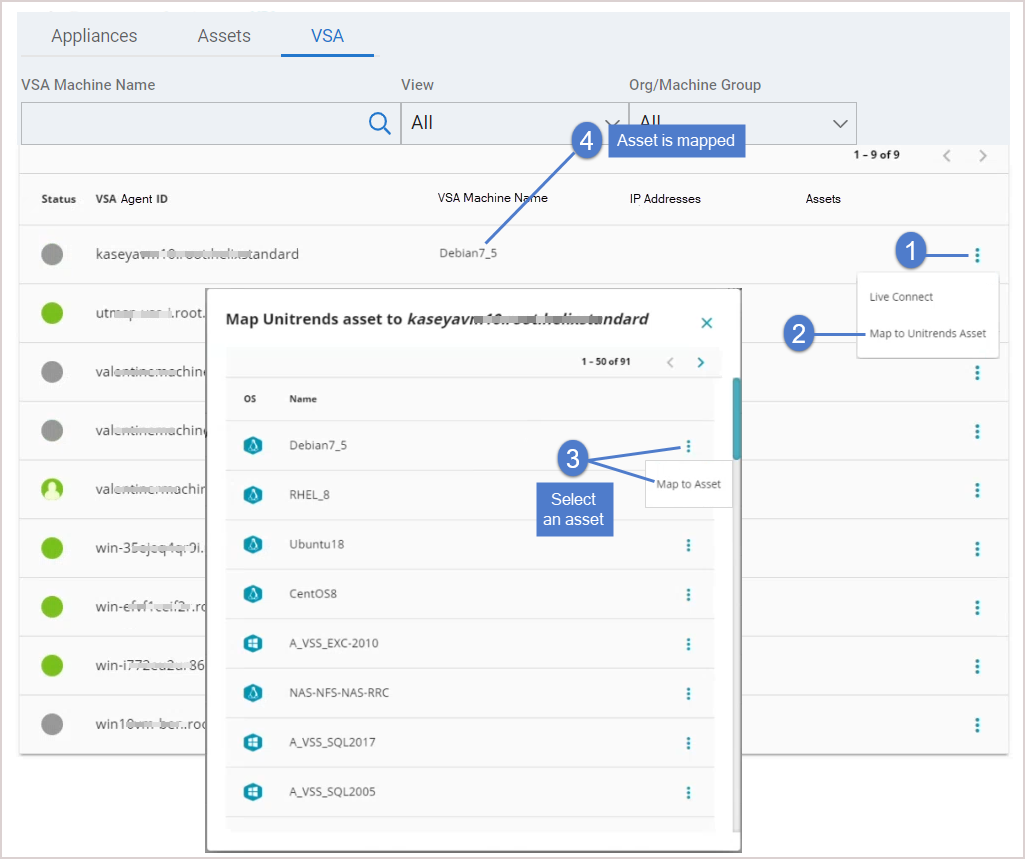
You can map a VSA machine to a Unitrends asset to easily identify VSA machines in your UniView Portal environment. To create a mapping:
- In the Protect > VSA view, click the machine's
 and select Map to Unitrends Asset.
 - Click the asset's and select Map to Asset.
Connecting to Unitrends assets with Kaseya Live Connect
Use these steps to remote into the asset using Live Connect.
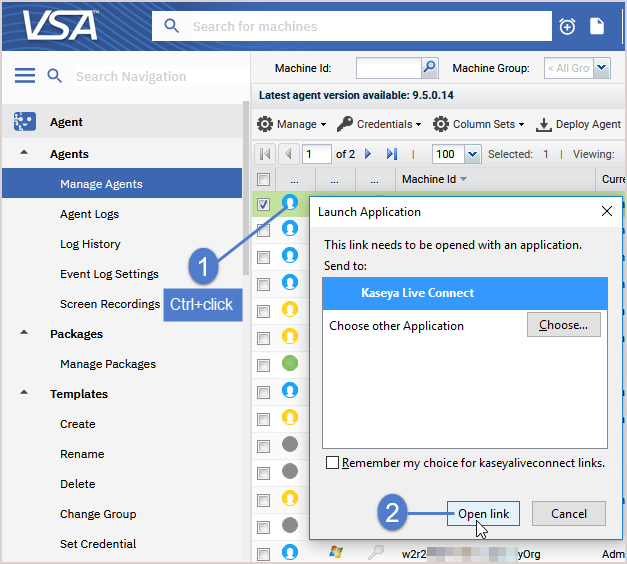
- Install Live Connect on your workstation. (Skip this step if Live Connect has already been installed). To install Live Connect:
- Log in to VSA 9 from your workstation.
- On the Agent > Agents > Manage Agents page, Ctrl+click an agent icon.
- You are prompted to download and install the Live Connect application on your local computer.
- Log in to the UniView Portal.
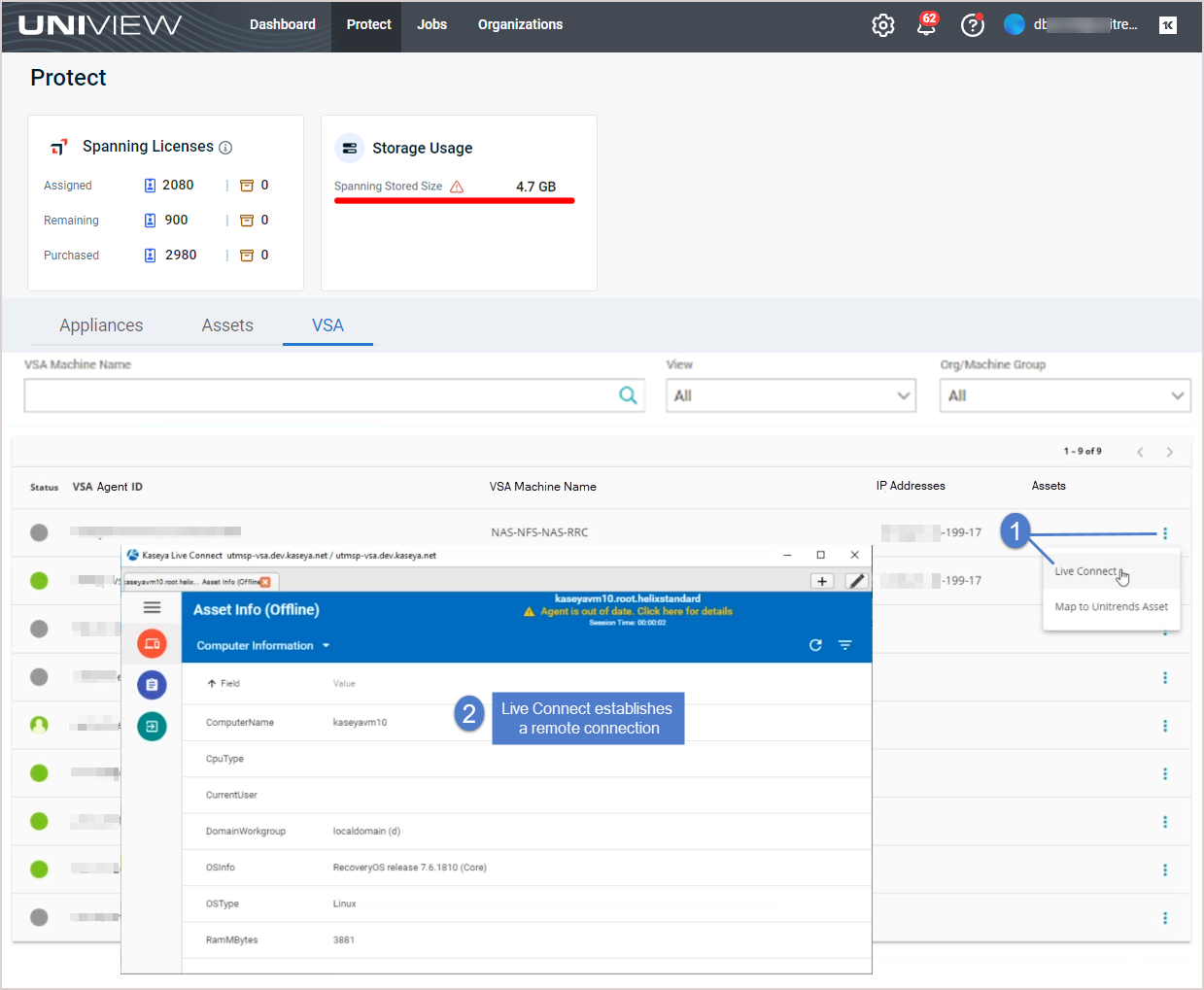
- In the Protect > VSA view, click the machine's and select Live Connect.
- Live Connect establishes a remote connection to the machine.