Create a NAS NDMP backup job
NAVIGATION Jobs > Active Jobs > Create Job > Backup
PERMISSIONS Administrator
Create a NAS NDMP backup job to protect volumes on a NAS asset using the Network Data Management Protocol.
Each selected volume is backed up in a separate job, and jobs run as NDMP connections become available.
BEFORE YOU BEGIN Review Backup jobs and ensure you have added your NAS asset with NDMP support to the Unitrends appliance.
See Managing protected assets for instructions.
Create a NAS NDMP backup job
To create a NAS NDMP backup job, complete the following steps:
-
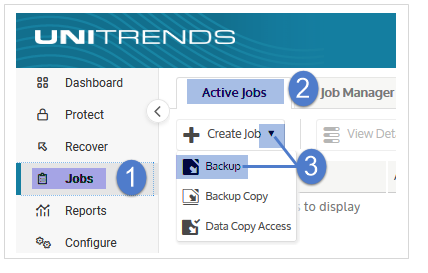
Select Jobs > Active Jobs > Create Job > Backup.
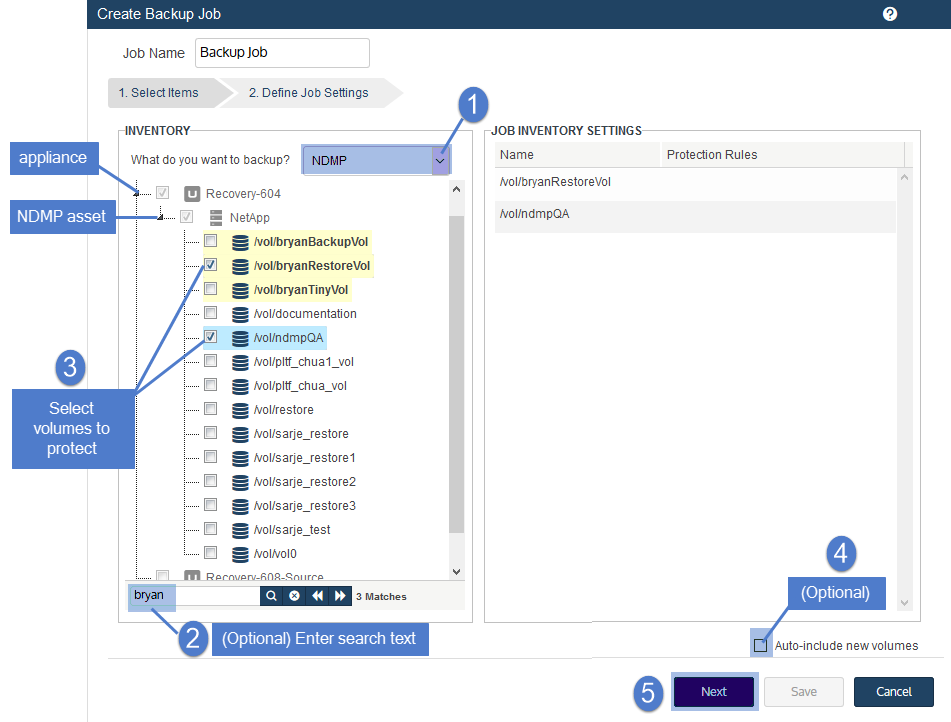
- Select NDMP in the What do you want to backup? list.
- In the Inventory tree, expand the desired NAS asset and check boxes to select volumes to protect.
Selected volumes display in the Job Inventory Settings area.
To locate an asset by name, use the Search field below. - (Optional) Check the Auto-include new volumes box to add any newly discovered volumes to the schedule.
- Click Next.
-
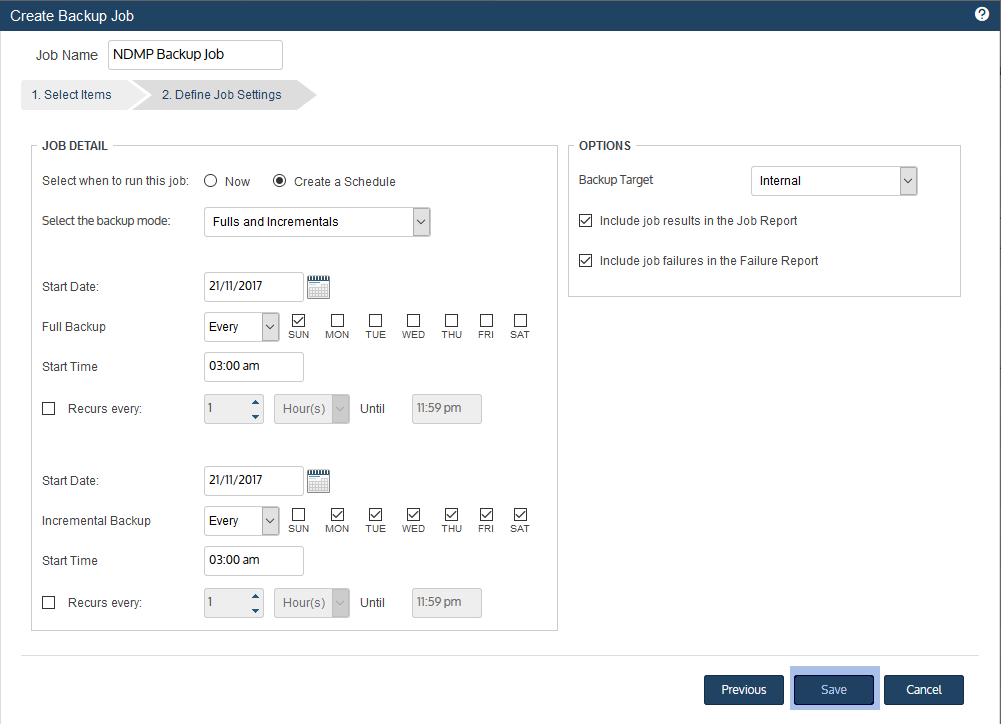
Select Now or Create a Schedule to specify when you want this job to run.
If you create a schedule, enter a unique job name. - Set remaining Job Details and Options.
In most cases, the standard backup modes can be used to create the schedule.
If you need more granularity, choose Custom to create a custom backup calendar.
See Configure a custom backup schedule for details. - Click Save.
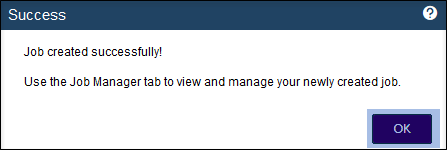
- Click OK to close the Success message.
- Each selected volume is backed up in a separate job.
- If you created a schedule, jobs are queued at the times you specified and run as NDMP connections become available.
- If you chose Now, jobs are queued immediately and run as NDMP connections become available.
Click Active Jobs to view running jobs.
The NAS NDMP backup job is created.
Unitrends queues a separate job for each selected volume and runs them as NDMP connections become available.


