Create a UCS service profile backup job
NAVIGATION Jobs > Active Jobs > Create Job > Backup
PERMISSIONS Administrator
Create a UCS service profile backup job to protect the Cisco UCS service profile configurations of a Cisco UCS asset added to the Unitrends appliance.
BEFORE YOU BEGIN Review Backup jobs and ensure you have added your Cisco UCS asset to the Unitrends appliance.
See Managing protected assets for instructions.
Create a UCS service profile backup job
To create a UCS service profile backup job, complete the following steps:
- Select Jobs > Active Jobs > Create Job > Backup.
- Select Cisco UCS in the What do you want to backup? list.
- In the Inventory tree, click to select the UCS asset.
- Click Next.
-
Select Now or Create a Schedule to specify when you want this job to run.
If you create a schedule, enter a unique job name. - Set remaining Job Details and Options.
In most cases, the standard backup modes can be used to create the schedule.
If you need more granularity, choose Custom to create a custom backup calendar.
See Configure a custom backup schedule for details. - Click Save.
-
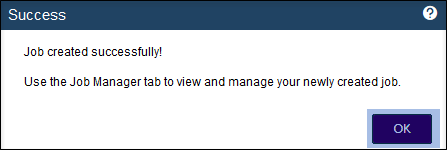
Click OK to close the Success message.
- If you created a schedule, the job runs at the date and times you specified.
- If you chose Now, the job queues immediately.
Click Active Jobs to view the running job.
The UCS service profile backup job is created.
Unitrends protects the Cisco UCS service profile configurations according to the schedule you configured.


