Enable a backup copy target
Use this procedure to mount the backup copy target.
NOTES
● Backup copy jobs mount and unmount the target automatically. The target remains offline unless a copy job is running, but you can use this procedure as needed to mount the target manually.
● This procedure also imports reference information for any backup copies that were not found on the appliance.
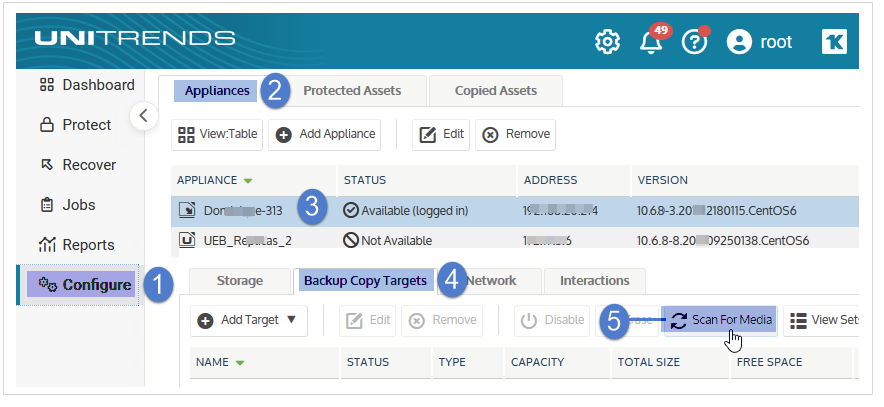
1. On the Configure > Appliances page, select your appliance.
2. Click the Backup Copy Targets tab below.
3. Click Scan for Media.
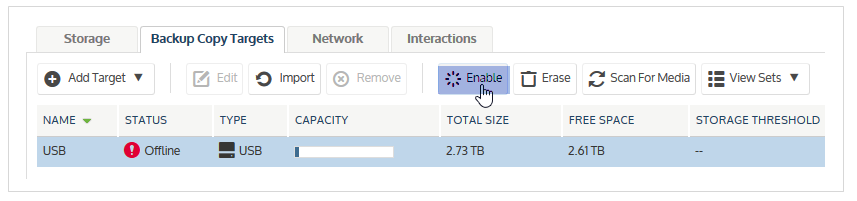
4. Select the offline target.
5. Click Enable to bring the target online.
NOTES
If you receive a message that the media has not been initialized, you must erase or prepare the media before you can enable the target. Erasing or preparing the media removes all backup copies stored on the media. For details, see one of the following:
● Prepare tapes for use with an autochanger device for tape autochanger targets.
● Initialize and erase cold backup copy media for all other cold backup copy targets, including single tape drive devices.
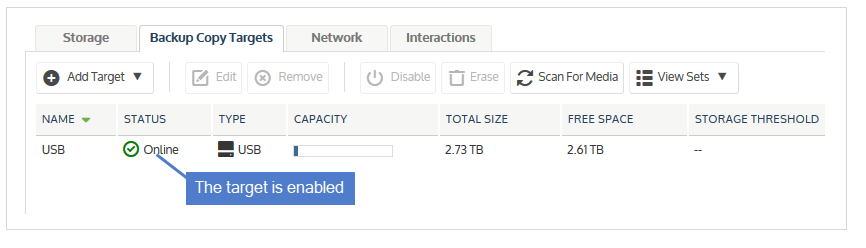
The target is enabled.